If at any point you do not have the source code for your CLI integration and need it to make changes, you can download a zip file of the source code directly from the Platform UI.
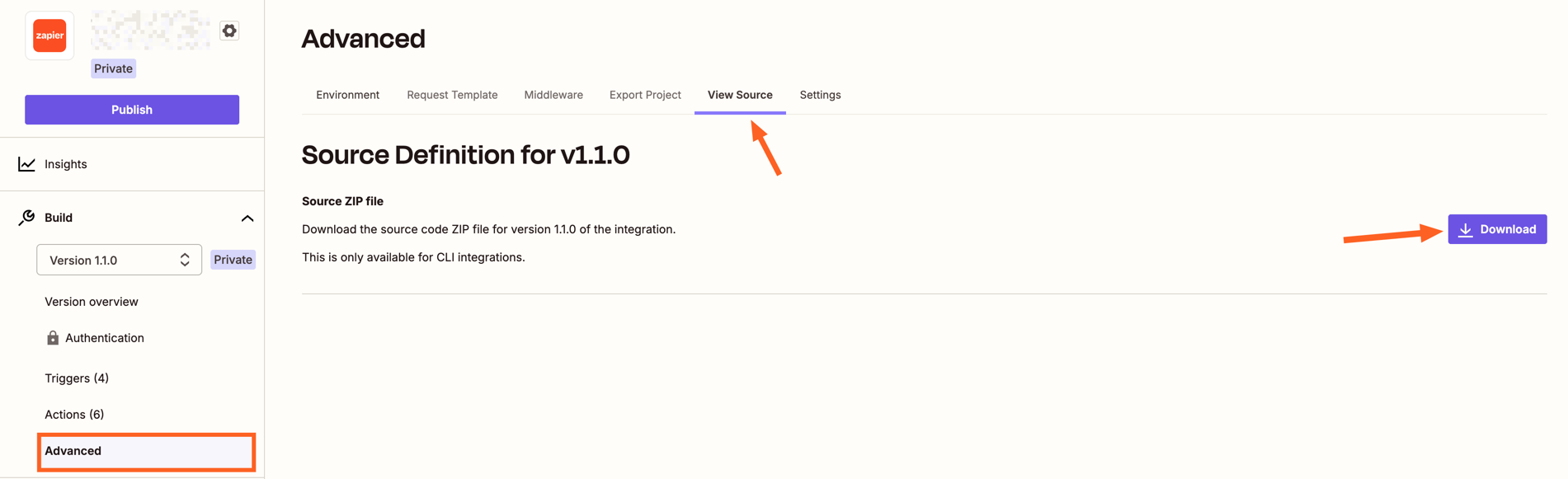
Log in to the Platform UI and access the CLI integration for which you would like to get the source code.
On the sidebar, click on “Advanced”.
Go to the “View Source” section.
Click the “Download” button
Note that, after getting the source code, you would need to go into the directory and run npm install (or the equivalent for pnpm, yarn or bun) in order to install all the libraries needed for your integration. Then you can start making changes to the integration code, following our best practices.
Last modified on October 22, 2026
Was this page helpful?
Assistant
Responses are generated using AI and may contain mistakes.


 Note that, after getting the source code, you would need to go into the directory and run