

Prerequisites
- Your app needs to be published as a public integration in Zapier’s App Directory.
Retrieve and use an app access token
While many API endpoints require a user access token to perform actions on behalf of a user, some (like unenrolling a user from a promotion) require an App Access Token.1
Get your Client ID and Client Secret
You can find your Client ID and Client Secret in the Zapier Developer Platform under 
Embed → Settings → CredentialsRegenerating your client secret will invalidate any previous secret.
2
Determine which OAuth scopes are required for your use case
The various endpoints of the Zapier Workflow API require different OAuth scopes. Information on specific scopes required is included within the API reference for each endpoint.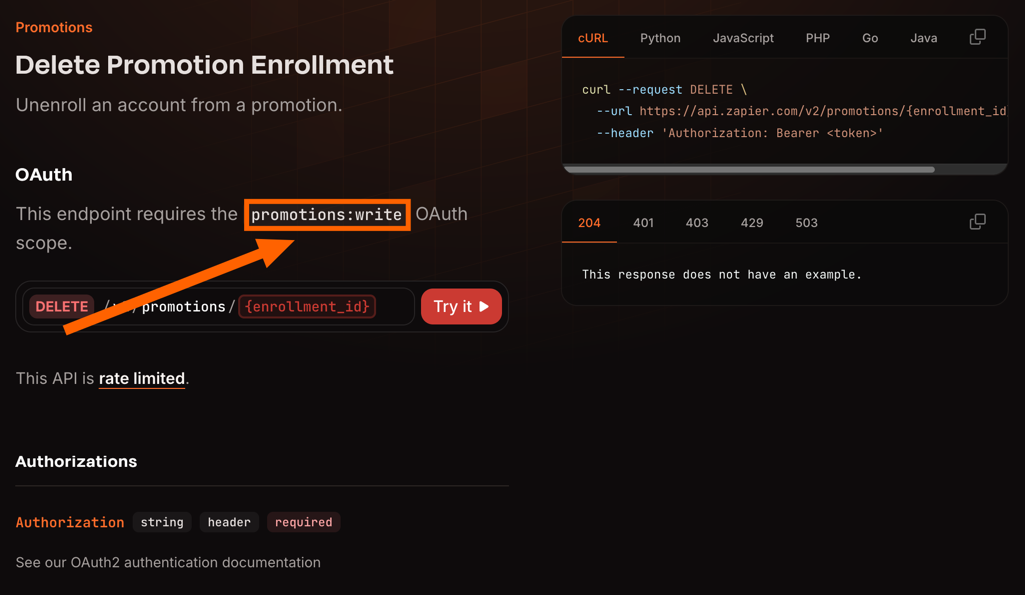
3
Retrieve the app access token
The final step is to exchange the client credentials for an access token that can be used to make authorized requests to the Zapier Workflow API. You make the exchange with a
POST request to Zapier’s token endpoint https://zapier.com/oauth/token/.Below is an example of a request that can be used to do the exchange.Note that, in addition to client id and secret being passed as a Basic Authentication header as above, they can be
passed as part of the body, using the keys
client_id and client_secret.You’ll recieve a response that looks like this:This response contains the
access_token that you’ll use to make API request on your app’s behalf.4
Using the access token
The access token should be passed with requests as an
Authorization header. For example: